Auto Drive Racing Arcade
Reviews
Auto Drive Racing Game delivers a balanced mix of speed and strategy. The upgrade system adds depth, and the split-screen multiplayer is a standout for family game nights. Controls are responsive, and the non-violent weapons keep the action light. Replay value is high with multiple modes and customization options.
About this game
Game Introduction
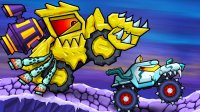
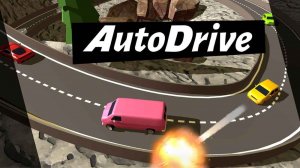
Auto Drive Racing Game combines the excitement of high-speed racing with strategic car combat. Players compete on dynamic tracks, using non-violent tools like lasers to gain an advantage over opponents. The game offers a variety of modes, including online multiplayer, offline championship, and casual races, as well as a local split-screen option for two players on the same device. With a focus on fun for all ages, it provides an engaging experience that blends racing skill with tactical decision-making.
How to Play
Players control their vehicles using keyboard inputs: one player uses the arrow keys for movement and J, K, L for weapons, while a second player uses W, A, S, D and X, C, V. Controls can be customized in the settings menu. The objective is to finish first in each race while using weapons strategically to slow down opponents. Winning races earns currency that can be used to purchase upgrades and new weapons. Players can choose from online multiplayer, offline championship, or casual race modes, and the split-screen mode allows two players to race simultaneously on the same screen.
Game Features
Features include racing with car combat elements, performance upgrades (such as engines and tires), and attachable tools to customize vehicles. The game supports online multiplayer, offline championship, and casual race modes, plus a local split-screen mode for two players. Controls are customizable for each player, and the gameplay is non-violent, making it suitable for all ages.
Tips for Success
Practice driving on different tracks to master turns and braking points. Use weapons wisely—save powerful ones for key moments to overtake opponents. Earn currency by winning races and invest in upgrades that match your driving style, such as better acceleration or handling. In multiplayer modes, observe opponents' patterns and adapt your strategy. For split-screen play, communicate with your co-player to avoid collisions and share tips.