Parking Fury 3D Beach City Driving
Reviews
Parking Fury 3D: Beach City delivers a clean driving experience with its sunny 3D environments and intuitive controls. The handbrake mechanic adds precision, and the camera options help with tricky spots. Missions start simple but gradually test your skills, offering good replayability. It is a solid choice for short gaming sessions or unwinding after a busy day. The family-friendly design ensures anyone can pick it up and enjoy.
About this game
Game Introduction
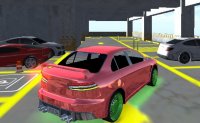
Parking Fury 3D: Beach City Driving Game Arcade Game places you behind the wheel in a vibrant coastal town. This arcade-style game focuses on completing parking missions across sunny streets, near sandy beaches, and around cozy buildings. The game uses smooth 3D graphics to create a cheerful atmosphere suitable for players of all ages. Each level asks you to drive a car to a marked parking spot while avoiding obstacles like fences, other cars, and pedestrians. The missions grow in difficulty, requiring careful steering and timing. Whether you are a skilled driver or new to parking games, Beach City provides a friendly environment to practice and enjoy. The game combines skill with exploration, letting you take in the seaside views as you progress. It is a family-friendly experience that emphasizes precision and patience without any stressful elements. Players can expect a relaxing yet engaging challenge that rewards careful driving.
How to Play
To play Parking Fury 3D: Beach City, use the WASD or arrow keys on your keyboard to control your car. Press the Space bar to engage the handbrake, which helps you make sharp turns and park accurately. You can change the camera view by pressing the C key for a better angle during tricky maneuvers. If you want to switch to a different vehicle, press the Ctrl key to take another car. Each mission has a clear goal: park in the designated spot marked on the ground. Avoid hitting obstacles like walls, cones, or other cars, as collisions may reset your progress. The game provides on-screen instructions and a simple interface, so you can start playing immediately. Practice your parking skills across multiple levels, each set in a different part of the beach city. The controls are responsive and easy to learn, making the game accessible for beginners while offering enough challenge for experienced players.
Game Features
Beautiful 3D beach city environment with sunny streets and coastal views. Challenging parking missions that test your driving precision. Easy controls using keyboard keys for movement and handbrake. Handbrake action for sharp turns and tight parking spots. Camera view options to adjust your perspective during gameplay. Fun for all ages with family-friendly content and no violence.
Tips for Success
Parking Fury 3D: Beach City offers a calm yet engaging driving challenge. The seaside setting and smooth controls make it ideal for relaxing breaks or focused practice. Players of any age can enjoy the gradual difficulty and satisfying parking tasks.