Ultimate Flying Car 2 Arcade Racing
Reviews
Ultimate Flying Car 2 offers a satisfying mix of driving and flying with responsive controls. The multiple worlds keep exploration interesting, and the coin collection adds a rewarding upgrade system. Two-player mode is a nice addition for shared play. The game is easy to pick up and has good replay value for family entertainment.
About this game
Game Introduction
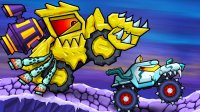
Ultimate Flying Car 2 is an online arcade driving game where players control supercars that can drive, fly, and teleport. The game takes place across multiple colorful worlds, each with unique tracks and obstacles. Players collect diamonds and coins scattered throughout levels to unlock and purchase new vehicles. This sequel improves upon the original with enhanced car physics and smoother flying mechanics, offering a safe, non-violent experience suitable for all ages. The core objective is to explore diverse environments, gather collectibles, and complete races while mastering the ability to switch between ground and aerial movement.
How to Play
Players control their vehicle using keyboard inputs. Acceleration is handled by one key, steering left and right by separate keys, and braking by another. A boost or NOS function provides a temporary speed burst. The camera view can be changed, and the car can be reset if needed. In racing modes, an obstacle activation key may be available. The game also supports a two-player mode, where each player uses their own set of controls. The main goal is to navigate tracks, collect items, and compete against opponents or the clock.
Game Features
Key features include the ability to drive, fly, and teleport supercars across various worlds. Improved car physics and flying mechanics ensure stable and enjoyable gameplay. Players can collect diamonds and coins to buy new cars and expand their collection. A two-player mode allows friends or family to race together. The game offers multiple worlds with unique tracks and obstacles, providing variety and replayability. The controls are simple and accessible, making it easy for players of all skill levels to jump in and enjoy.
Tips for Success
To succeed in Ultimate Flying Car 2, practice switching between driving and flying modes to navigate obstacles efficiently. Collect as many diamonds and coins as possible to unlock better vehicles, which may offer improved performance. Use the boost feature strategically on straightaways or to clear large gaps. In two-player mode, communicate with your partner to coordinate moves. Explore each world thoroughly to discover hidden shortcuts and collectibles. Finally, reset your car if you get stuck to avoid losing time.