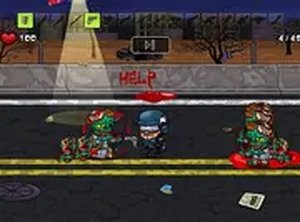
Squad vs Zombies Strategy
Reviews
Tactical Squad vs Zombies is a delightful browser game that blends action and strategy without any violent content. Players control a hero who must overcome waves of cartoon zombies using smart tool upgrades and quick reflexes. The coin-based progression system adds depth, and the full-screen mode enhances the experience. It is free, mobile-friendly, and perfect for casual gamers looking for a positive challenge.
About this game
Game Introduction
Tactical Squad vs Zombies is a family-friendly strategy game set in a world where a hero must reach a laboratory to find a solution to the zombie outbreak. Players take on the role of a brave squad member on a mission to overcome waves of cartoon-style zombies. The game combines fast-paced action with strategic resource management, as you defeat undead enemies while collecting coins to upgrade your tools. With a variety of items to unlock and purchase, each playthrough offers new challenges and opportunities. Designed for players of all ages, the game features colorful graphics and non-violent gameplay that focuses on strategy and skill. Whether you are a casual gamer or a seasoned strategy enthusiast, Tactical Squad vs Zombies provides an engaging experience that tests your reflexes and decision-making abilities. The game runs smoothly in any browser, making it accessible on both desktop and mobile devices without any downloads required.
How to Play
To play Tactical Squad vs Zombies, use your mouse or touch controls to aim and shoot at approaching zombies. Your goal is to survive each wave of enemies while collecting coins dropped by defeated zombies. These coins can be used in the in-game shop to purchase new tools and upgrades, such as stronger blasters or faster reload speeds. As you progress, the zombies become more numerous and tougher, requiring you to adapt your strategy and choose the right items for the job. The game also features a full-screen mode for a more immersive experience. Remember to keep moving and prioritize targets to stay in the game. The simple controls make it easy to pick up and play, but mastering the game requires quick thinking and efficient resource management.
Game Features
Free to play, no downloads, mobile-friendly, full-screen mode, and a variety of tools to unlock. The game is designed to run smoothly in any browser, making it accessible on both desktop and mobile devices without any downloads required.
Tips for Success
To succeed in Tactical Squad vs Zombies, focus on efficient resource management by collecting coins and prioritizing upgrades that match your play style. Practice aiming and moving to avoid zombie attacks while maintaining a steady rate of fire. As the waves become tougher, adapt your strategy by choosing the right tools for different enemy types. Regular practice will help you improve your reflexes and decision-making skills.