Bottle Blaster: Precision Arcade
Reviews
Bottle Blaster delivers a polished arcade experience that is easy to pick up but offers increasing challenge. The touch controls are responsive on mobile, and the physics feel realistic. It is a great choice for casual players looking to improve focus and coordination. The lack of downloads and broad device support make it very accessible. A solid, safe game for all ages.
About this game
Game Introduction
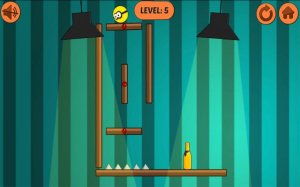
Bottle Blaster: Precision Arcade Game is a vibrant arcade experience that challenges your aiming skills and strategic thinking. Set in a colorful digital environment, the goal is simple: carefully aim and knock down a series of bottles. This game turns a classic physical challenge into a dynamic online experience. Built with HTML5 technology, it works smoothly on all modern browsers without needing any downloads. Whether you are on a mobile phone, tablet, or desktop computer, you can enjoy the satisfying physics and rewarding gameplay anytime. It is a great choice for casual gamers and those wanting to improve their focus and coordination in a safe setting.
How to Play
Getting started with Bottle Blaster is easy. On mobile devices, use the intuitive on-screen touch controls. Simply rotate your device or use touch gestures to aim your blaster, then tap to fire and knock down the bottles. On a PC or desktop, use your keyboard or mouse for precise control. Click the left arrow button to aim left and the right arrow button to aim right. Then click to launch your projectile. The key is timing and accuracy. As you progress, the challenge increases, requiring more careful calculation and strategy to clear each level efficiently. The game rewards patience and steady hands, making every successful shot feel satisfying.
Game Features
Bottle Blaster offers a range of features that enhance the gameplay experience. Vivid graphics and smooth physics create an immersive environment. Universal accessibility ensures play on any device. Progressive difficulty keeps players engaged. Simple controls make it easy to start. The game is designed for casual and family-friendly fun, with no downloads required for instant play.
Tips for Success
To excel in Bottle Blaster, practice your aim and timing regularly. Start with slower shots to understand the physics, then gradually increase your speed. Focus on one bottle at a time rather than rushing. Use the environment to your advantage by observing how shots interact with the bottles. Stay patient and take breaks if you feel frustrated, as steady hands lead to better results.