UAZ 4x4 Driving Simulator
Reviews
Russian UAZ 4x4 Driving Simulator delivers a solid driving experience with two engaging modes. Parking challenges require careful control, while free ride allows creative stunts. The 3D graphics and vehicle customization add replay value. Controls are responsive, and the camera system helps with precision. Ideal for players who enjoy skill-based driving games without complex mechanics.
About this game
Game Introduction
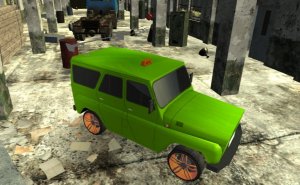
Russian UAZ 4x4 Driving Simulator puts you in control of a classic Russian UAZ vehicle. Developed by Fly Troll Studio in March 2019, this game offers a unique driving experience with two distinct modes. In Parking mode, you navigate obstacle courses and park in designated spots, testing your precision and control. In Free Ride mode, you explore a 3D environment and perform stunts like jumps and drifts. The game features cool 3D graphics and customizable car appearance, letting you personalize your ride. Whether you enjoy careful parking or adventurous stunts, this simulator provides engaging gameplay for all skill levels.
How to Play
Start by selecting either Parking or Free Ride mode from the main menu. Use the WASD keys or arrow keys to drive your UAZ. Press the space bar to engage the handbrake, which helps with sharp turns and controlled slides. Change your camera view by pressing the C key, and drag the left mouse button to rotate the camera freely around your vehicle. In Parking mode, follow the marked paths and park accurately in the designated spots. In Free Ride mode, explore the open area and try stunts like jumps and drifts. Press the P key to pause the game at any time. The goal is to complete parking challenges with precision and enjoy creative stunts in free mode.
Game Features
Drive a classic Russian UAZ car with realistic handling. Two game modes offer variety: parking challenges and free ride stunts. Customize your vehicle's appearance to match your style. Cool 3D graphics create an immersive environment. Free camera rotation lets you view the action from any angle. Simple keyboard controls make it easy to pick up and play.
Tips for Success
Master the handbrake for tight turns and controlled drifts, especially in Parking mode. Practice reversing and maneuvering in tight spaces to improve precision. Use the free camera to spot obstacles and plan your path. In Free Ride mode, experiment with different speeds and angles to perform stunts safely. Take your time in parking challenges—rushing often leads to mistakes. Regular practice will help you build muscle memory and confidence behind the wheel.