
Authentic Table Physics
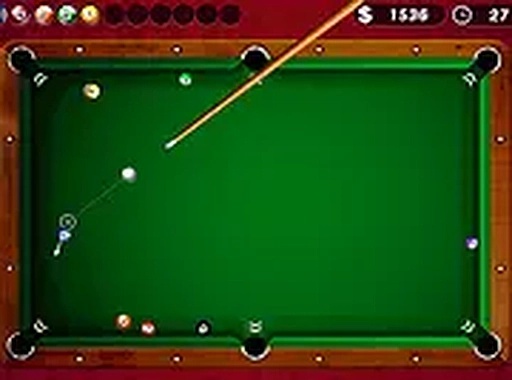
Table Cue Sports Arena replicates the feel of a real pool hall through its responsive controls and ball physics. Each shot requires careful aim and power management, as the cue ball reacts naturally to spin and contact. The game follows standard 8-ball rules, so players familiar with regulation play will feel right at home. Beginners can learn the basics without pressure, while experienced players can refine their technique against the timer or a friend.
Solo Practice Mode
For those looking to sharpen their skills, the single-player mode includes a countdown clock. The objective is to pocket all designated balls—solids or stripes—and then sink the 8-ball before time expires. This format encourages quick thinking and precise shot planning. Players can experiment with different angles and bank shots to see how the table responds, building confidence for head-to-head play.
Two-Player Turn-Based Action
Invite a friend for a classic turn-based match. Each player takes turns at the table, following standard 8-ball rules. The interface clearly indicates whose turn it is, and the cue control remains consistent across both participants. This mode works well on shared devices, making it a good choice for casual gatherings or online sessions with a remote partner.
Cross-Device Accessibility
Because the game runs entirely in a web browser, there is no need to install any software. It functions on both desktop computers and mobile devices, with touchscreen support for tablets and phones. Full-screen mode is available for a more immersive view. This flexibility means players can jump into a match from almost any internet-connected device without setup delays.
Visual and Control Design
The graphics use bright, clear colors that make the table and balls easy to distinguish. The cue stick is controlled by dragging on the screen or using a mouse, and a power slider lets players adjust shot strength. The interface remains uncluttered, so the focus stays on the game. Sound effects add to the atmosphere without being distracting.



Comments
0 comments