
Game Introduction
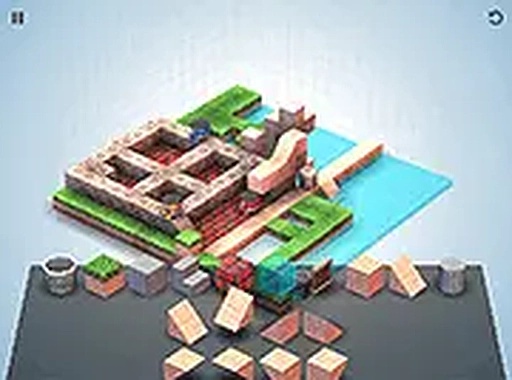
Mekorama is a thoughtfully designed logic puzzle game that places players in control of a small robot navigating through intricate three-dimensional dioramas. Each scene is a handcrafted miniature world filled with interactive elements such as rotating blocks and moving platforms. The core objective is to guide the robot from the starting point to the exit by solving mechanical puzzles. What sets Mekorama apart is its innovative QR code system, which allows players to load custom puzzles from community sources. Additionally, a built-in level editor enables players to create their own challenges using stairs, bridges, and moving parts. The game runs entirely in a web browser with no downloads required, making it accessible on both mobile devices and desktop computers. It is free to play and designed to be family-friendly, offering a relaxing yet engaging experience for puzzle enthusiasts of all ages.
How to Play
Players begin by finding level cards from the Mekorama community, which are images containing QR codes. These images can be dragged and dropped into the game window to load a puzzle. Once inside a level, players interact with the environment by clicking or tapping on objects. The goal is to rotate blocks, move platforms, and navigate around obstacles to clear a path for the robot to reach the exit. The game is intuitive and does not require lengthy tutorials. Players can also switch to the editor mode to design original puzzles, placing elements like stairs, bridges, and moving parts. Full screen mode is available for a more immersive experience. Since no downloads are needed, players can start playing immediately after loading the game.
Game Features
Mekorama includes a creative level editor that allows players to design and share their own puzzles. The QR code sharing system enables loading custom levels from the community. The game is free to play directly in a browser without any downloads. It is optimized for mobile devices, working smoothly on phones and tablets. All content is family-safe, with no violence or inappropriate material. Full screen mode provides an immersive experience. The game offers endless replayability through user-generated content, ensuring each session feels fresh.
Tips for Success
To succeed in Mekorama, take time to observe each diorama carefully before making moves. Experiment with different interactions to understand how objects affect the robot's path. Use the level editor to practice designing puzzles, which can improve your problem-solving skills. Sharing levels with the community can also provide new perspectives and strategies.





Comments
0 comments